
ZFS Default Pool Settings
This section covers the default operational settings applied to a ZFS pool and explains how these values influence performance, caching, compression, synchronisation behaviour, and data integrity. We will also look at how settings can be tuned differently across individual datasets and shares to better align storage behaviour with specific workloads and application requirements.
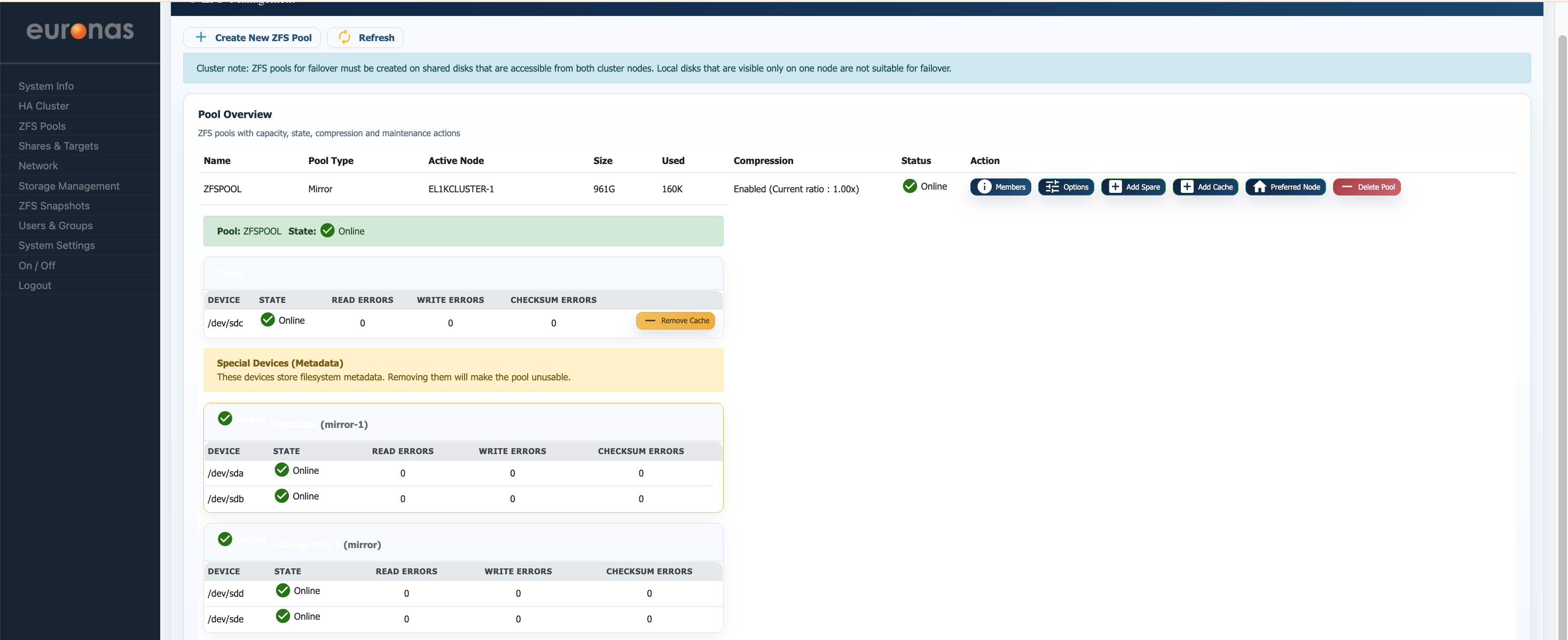
From the ZFS Pools screen select Options for the required storage pool. This will open the Pool Options interface
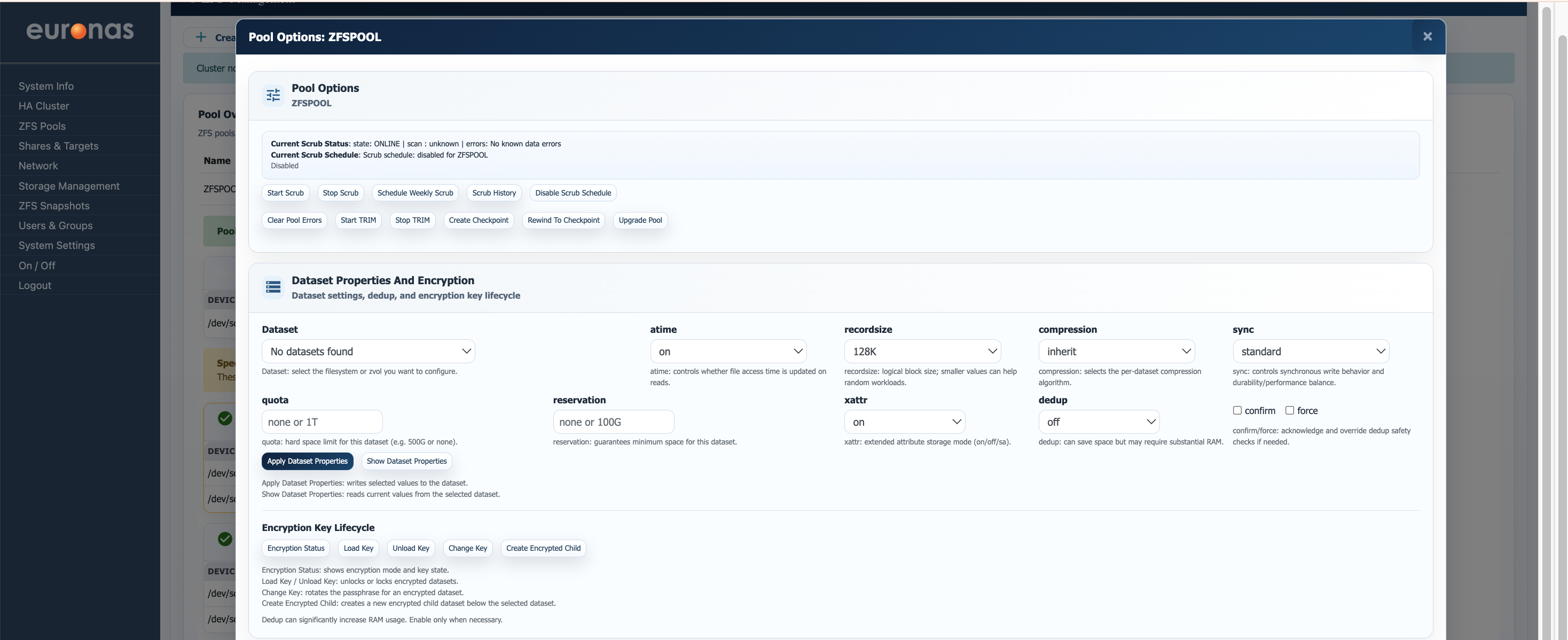
Pool Options
This screen provides operational management and dataset-level tuning controls for the selected ZFS storage pool. From here, administrators can manage pool maintenance operations, monitor scrub activity, configure dataset behaviour, and control encryption lifecycle operations across the pool.
The upper section focuses on core pool maintenance and health operations. Current scrub state and scheduling information are displayed at the top, allowing administrators to quickly verify the integrity state of the pool. Controls are provided to manually start or stop a scrub operation, schedule recurring scrub tasks, review scrub history, and disable scheduled scrubs where required.
Additional maintenance functions include:
- TRIM Operations — Allows manual TRIM commands to be issued to SSD-based storage to assist with block reclamation and long-term performance consistency.
- Checkpoint Management — Creates a rollback checkpoint of the current pool state, allowing administrators to revert the pool configuration if required after major changes.
- Pool Upgrade — Updates the ZFS pool feature flags to newer supported versions when compatible with the platform.
- Clear Pool Errors — Clears historical error counters once issues have been resolved.
The lower section provides detailed Dataset Properties and Encryption controls. These settings allow administrators to tune individual datasets independently from the parent pool, enabling workload-specific optimisation without impacting other storage areas.
Available dataset tuning options include:
- atime — Controls whether file access timestamps are updated during reads. Disabling atime can reduce unnecessary write activity and improve performance on heavily accessed datasets.
- recordsize — Defines the logical block size used by ZFS. Smaller values may improve random I/O workloads, while larger values typically benefit sequential throughput.
- compression — Enables per-dataset compression policies. Compression can improve effective storage utilisation and, in some workloads, improve performance by reducing physical disk I/O.
- sync — Controls synchronous write behaviour and the balance between performance and write durability.
- xattr — Defines how extended file attributes are stored.
- dedup — Enables ZFS deduplication. While deduplication can significantly reduce storage consumption in highly repetitive datasets, it requires substantial memory resources and should only be enabled where appropriate.
- quota — Applies a hard capacity limit to the selected dataset.
- reservation — Guarantees a minimum amount of capacity for the dataset regardless of pool utilisation.
The screen also includes an Encryption Key Lifecycle management area, allowing administrators to manage encrypted datasets directly from the interface. Functions include loading and unloading encryption keys, rotating encryption keys, viewing encryption status, and creating encrypted child datasets beneath existing datasets.
This level of granular dataset tuning is one of the major strengths of ZFS, allowing a single storage pool to host multiple workloads while optimising behaviour independently for virtual machines, databases, user shares, backup repositories, or archive data.