
Windows MPIO for Fibre Channel Failover
Use this procedure to verify Windows MPIO paths before and after a planned Fibre Channel failover. A correctly configured Windows host keeps the disk available while the active and standby paths exchange roles.
Prerequisites
- The Windows MPIO feature and Microsoft DSM are configured for the presented FC storage.
- The host has one working FC path through each euroNAS cluster node.
- FC zoning and initiator permissions allow both paths.
- The ZFS pool and FC target are online and healthy.
- A maintenance window and representative test I/O are available.
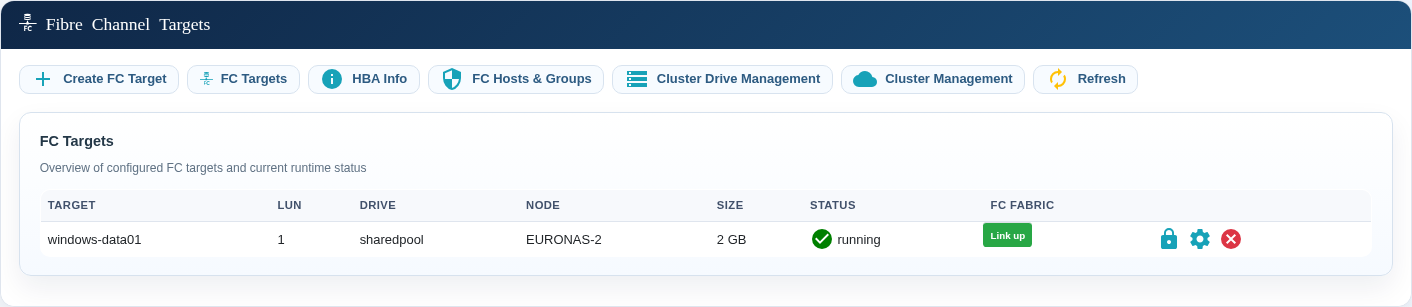
Identify the MPIO disk
- Open PowerShell as Administrator on the Windows Server.
- List the MPIO disks:
mpclaim.exe -s -d- Note the MPIO disk number for the FC disk.
- Inspect that disk, replacing
Nwith the MPIO number:
mpclaim.exe -s -d NThe MPIO disk number is not necessarily the Windows disk number displayed by Get-Disk. Match the disk by size, serial number, and storage presentation.
Expected state before failover
A healthy two-node FC presentation reports 02 Paths. One path is Active/Optimized and the other is Standby.
MPIO Disk10: 02 Paths, Round Robin, Symmetric Access
    Controlling DSM: Microsoft DSM
    SN: 746172676574315F

    Path ID          State              SCSI Address
    ---------------------------------------------------------
    0000000077020000 Standby            002|000|000|001
      TPG_State : Standby, TPG_Id: 2

    0000000077010000 Active/Optimized   001|000|000|001
    * TPG_State : Active/Optimized, TPG_Id: 1
Also confirm that Windows reports the disk as online and healthy:
Get-DiskRun a planned failover test
- Confirm that the FC disk is Online and Healthy.
- Confirm that
mpclaim.exe -s -d Nreports two paths. - Start representative client I/O and monitor it continuously.
- In euroNAS, change the shared pool's preferred node once.
- Wait for the preferred-node change to complete.
- Confirm that application I/O continues.
- Run
mpclaim.exe -s -d Nagain and verify that both paths remain present.
Expected state after failover
The path roles should reverse while the disk remains available:
MPIO Disk10: 02 Paths, Round Robin, Symmetric Access
    Controlling DSM: Microsoft DSM
    SN: 746172676574315F

    Path ID          State              SCSI Address
    ---------------------------------------------------------
    0000000077020000 Active/Optimized   002|000|000|001
    * TPG_State : Active/Optimized, TPG_Id: 2

    0000000077010000 Standby            001|000|000|001
TPG_State : Standby, TPG_Id: 1| Check | Expected result |
|---|---|
| Path count | 02 Paths before and after failover |
| Active path | Moves to the new preferred node |
| Standby path | Remains present through the other node |
| Windows disk | Remains online and healthy |
| Application I/O | Continues without an application-level failure |
Wait before reversing the move
Wait at least 120 seconds after the preferred-node change has completed. Confirm that Windows again reports two paths before moving the pool back. euroNAS temporarily blocks another preferred-node change during this FC stabilization interval.
Reversing the move too quickly can cause Windows to remove the MPIO disk while both paths are still being rediscovered.
If the disk or a path disappears
- Stop the test and do not immediately move the pool again.
- Verify that the ZFS pool, FC target, and FC fabric links are healthy in euroNAS.
- Confirm zoning, WWPN permissions, and the target LUN.
- Refresh Windows storage information:
Update-HostStorageCacheThen open DiskPart and rescan:
diskpart
rescan
exit- If required, re-enable one Windows FC adapter at a time and check path discovery after each change.
- Do not recreate the ZFS pool, FC target, or MPIO configuration merely to restore path discovery.
Test record
Record the Windows host, MPIO disk number, serial number, path IDs, preferred node before and after the move, start and completion times, application-I/O result, and the final two-path verification.
Terms used in this guide
- MPIO (Multipath I/O): Windows uses several storage paths as one fault-tolerant connection.
- DSM (Device-Specific Module): the Windows component that selects paths and performs failover. For standard Fibre Channel storage, use the Microsoft DSM unless your storage vendor specifies another module.
- Active/Optimized: a preferred path that can carry normal I/O.
- Standby: a path kept available for failover.
Related guide
See ZFS Pool and Fibre Channel Failover for the cluster-side procedure.