
Modernise virtualisation without forcing a single path.
Build a new integrated platform with eEVOS, or strengthen an existing VMware or Hyper-V environment with euroNAS storage. The right architecture depends on workload compatibility, availability, recovery objectives and operational strategy.
Choose what should change—and what should remain.
Virtualisation projects do not always begin with the same constraint. Some organisations want an independent platform that consolidates infrastructure functions. Others need to preserve VMware or Hyper-V while improving the storage and availability layer.
Move virtualisation to eEVOS
Operate virtual machines, storage, high availability, networking, backup and disaster recovery through one hardware-independent platform.- Replace or reduce dependency on an existing hypervisor stack
- Import workloads from VMware, Hyper-V, KVM and Xen environments
- Select local, mirrored, shared or Ceph-based storage
- Use integrated Backup & Disaster Recovery workflows
Keep VMware or Hyper-V and modernise storage
Retain the existing VMware or Hyper-V application model while introducing euroNAS Premium, HA Cluster or eEKAS as an appropriate storage layer.- Preserve established VMware or Hyper-V operations and application support
- Use NFS, iSCSI, Fibre Channel or NVMe-oF where supported
- Design multipath and high-availability storage where required
- Scale from a single storage server to HA or distributed storage
No universal winner: application certification, operational experience, licensing, hardware compatibility, RPO/RTO and support requirements determine which path is appropriate.
Start with the business and workload constraints.
A sound decision is based on measurable requirements, not only on the current hypervisor or the newest storage protocol.
Application support
Identify workloads tied to a specific hypervisor, operating model or vendor certification.Availability objectives
Define acceptable interruption, failover behaviour and the infrastructure failures the design must tolerate.Backup and DR
Separate rapid operational recovery from independent backup copies and off-site disaster recovery.Skills and complexity
Compare migration effort and daily administration with the long-term cost of multiple infrastructure silos.Scale from one host to distributed infrastructure.
The platform and storage topology should follow the workload. These patterns provide starting points for technical validation.
Single-host eEVOS
Virtualisation, local storage and integrated protection for branch, edge, laboratory or independent workloads.Mirrored eEVOS
Two hosts synchronously mirror storage to provide a compact highly available virtualisation platform with seamless failover and no separate storage array.Shared-storage eEVOS cluster
Not restricted to a one- or two-node topology: connect multiple eEVOS hosts to centralised block storage over Fibre Channel, shared SAS, NVMe-oF or iSCSI. Multipathing and highly available storage preserve access while virtual machines move or hosts fail.VMware or Hyper-V with euroNAS HA
Hypervisor hosts connect to a resilient euroNAS storage pair through suitable file or block protocols and multipathing.Ceph-based hyperconverged infrastructure
With eEVOS, Ceph pools storage across cluster hosts in a hyperconverged model broadly comparable to platforms such as VMware vSAN: capacity, performance and resilience can grow as nodes are added. eEKAS applies Ceph differently—as a dedicated scale-out storage platform. The products are not presented as feature-for-feature equivalents.Deploy euroNAS as a Virtual Storage Appliance
Depending on the selected product and architecture, euroNAS can run as a virtual appliance and provide file or block storage without a dedicated physical storage server. This can suit branch offices, edge locations, laboratories, staged migrations and other software-defined deployments.Resource reservations, storage placement, boot dependencies, availability and failure domains must be validated for every virtual-appliance design.Evaluate the operating model—not only the feature list.
eEVOS consolidates core infrastructure workflows. A VMware- or Hyper-V-based architecture preserves the familiar hypervisor while euroNAS focuses on the storage layer.
| Consideration | eEVOS platform | Existing hypervisor with euroNAS storage |
|---|---|---|
| Virtualisation | Integrated eEVOS hypervisor management | Existing VMware or Hyper-V environment remains in place |
| Storage | Local storage, synchronous mirror, external shared storage or Ceph-based options. | euroNAS Premium, HA Cluster or eEKAS selected for the required topology |
| Protection model | eEVOS provides integrated VM Backup, Instant Backup & Recovery, NAS/S3 backup and remote DR | VM backup remains part of the hypervisor and backup design; separate euroNAS Premium or HA storage can add ZFS snapshots and asynchronous ZFS replication where configured |
| Migration | Guided import from common hypervisors, including VMware vCenter discovery | No hypervisor migration; storage transition must be planned and validated |
| Best fit | Organisations seeking consolidation, independence and a new operating model | Organisations retaining VMware or Hyper-V compatibility, skills or application certification |
One view from cluster health to workload migration.
The R7 interface brings infrastructure status, virtual machines and migration workflows into a consistent operational environment.
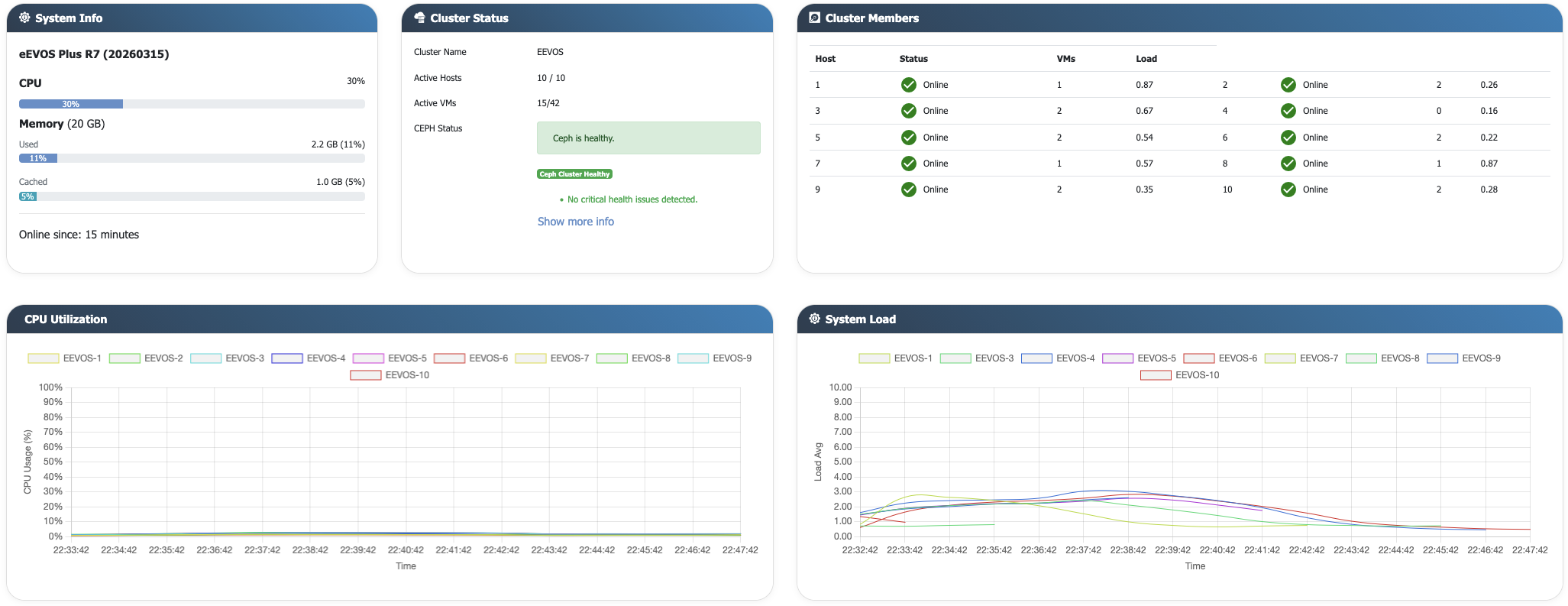
Cluster-wide visibility
Review host health, utilisation, virtual machines and Ceph status across the environment. View full size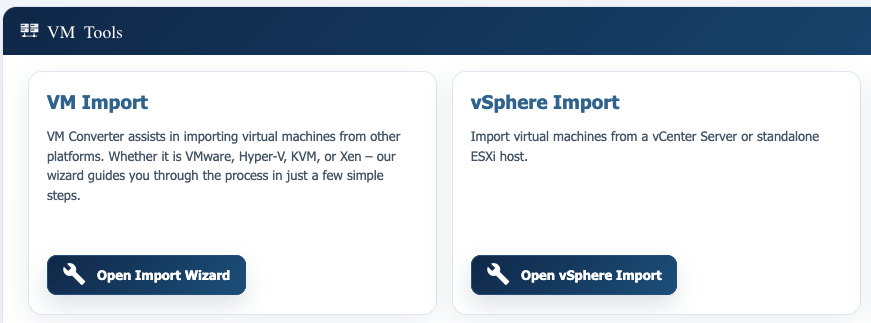
Guided workload import
Bring virtual machines from common hypervisors into a controlled eEVOS migration workflow. eEVOS detects the guest operating system automatically and installs the required paravirtualised drivers for supported guests. View full size Explore VM migration optionsModernise in stages rather than in one disruptive step.
Whether the destination is eEVOS or new storage for VMware, migration should preserve rollback options and validate application behaviour before production cutover.
Backup & Disaster Recovery must be part of the architecture.
Recovery requirements influence storage placement, network design and migration decisions. eEVOS integrates several protection methods; VMware and Hyper-V environments require a coordinated hypervisor, backup and storage strategy.