
ZFS Dataset Tuning
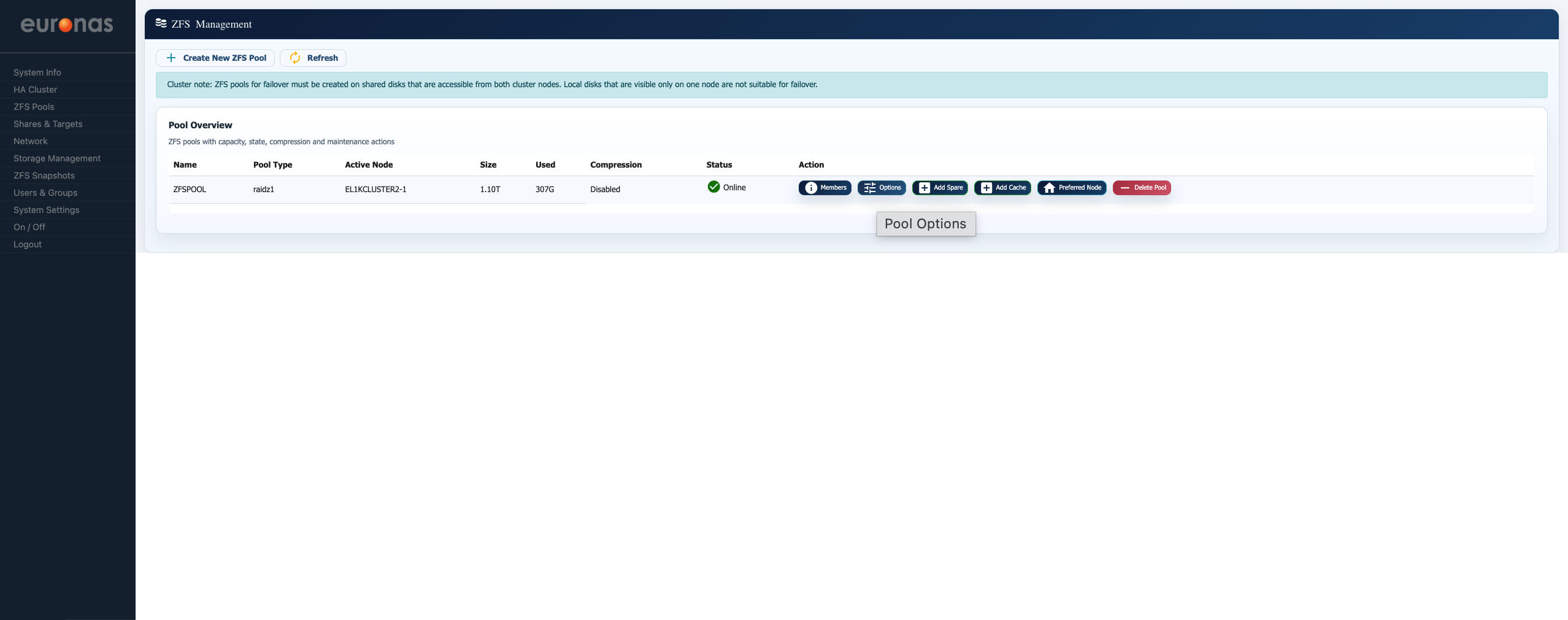
From the ZFS Management screen, select the Options button.
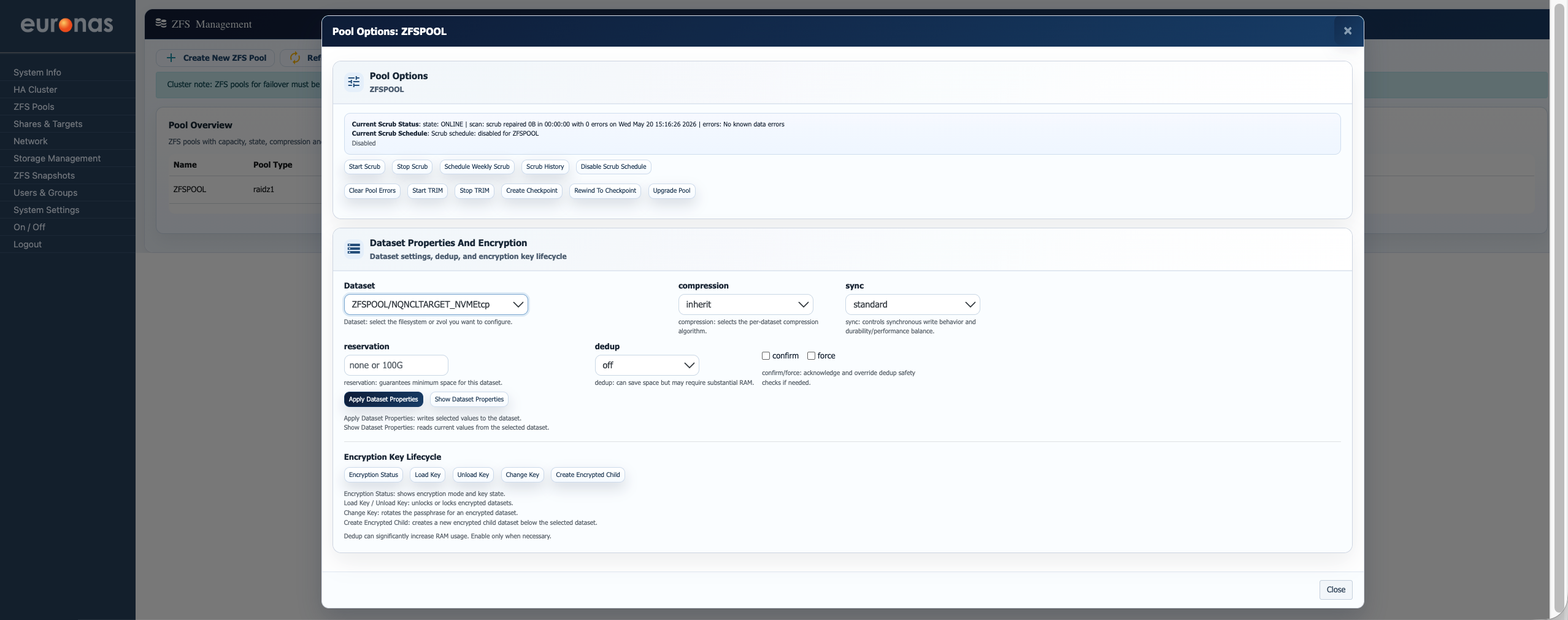
This will open the Pool Options screen, allowing administrators to manage pool dataset properties, compression, deduplication, synchronisation behaviour, and encryption settings for the selected ZFS pool.
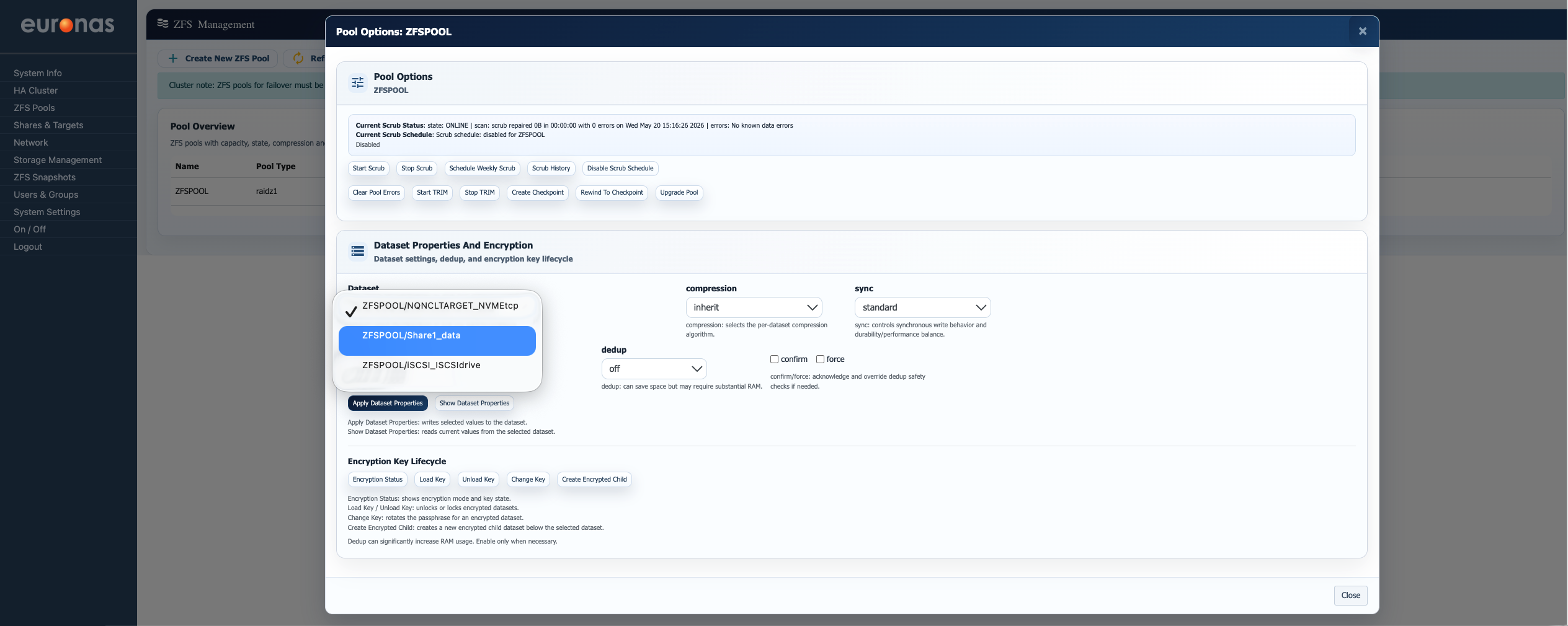
From the Dataset drop-down on the left-hand side of the screen, select the dataset you wish to configure. In this example, we will configure the ZFSPOOL/Share1_data dataset.
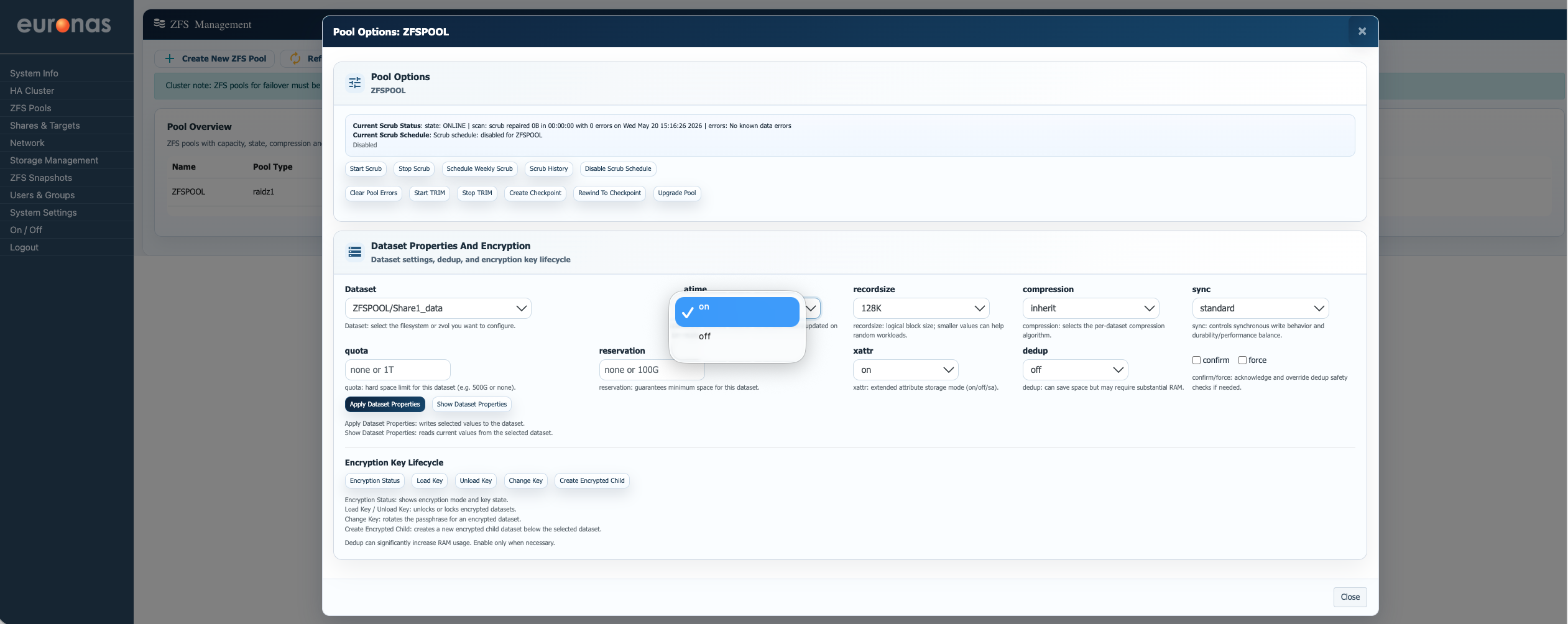
The atime setting controls whether ZFS updates the file access timestamp every time a file is read. While this may appear to be a small setting, it can have a noticeable impact on both performance and application behaviour depending on the workload.
When atime is enabled (on), ZFS records the last time a file was accessed. Some backup, archive, and data lifecycle management platforms rely on this information to determine whether files are still active, when they were last referenced, or whether data should be moved, retained, or expired. Disabling atime in these environments can interfere with retention logic, reporting accuracy, or automated data management policies.
In contrast, workloads such as virtual machine storage, media repositories, or high-performance application datasets often gain little value from access-time tracking. In these cases, disabling atime (off) can reduce unnecessary metadata updates and lower background disk activity caused by constant file reads.
Understanding the workload is therefore important before changing this setting. A configuration that improves performance for one application may negatively affect the operational behaviour of another. If in doubt, euroNAS recommends discussing the intended workload and dataset design with the support team prior to making production changes. Please contact support@euronas.com for guidance.
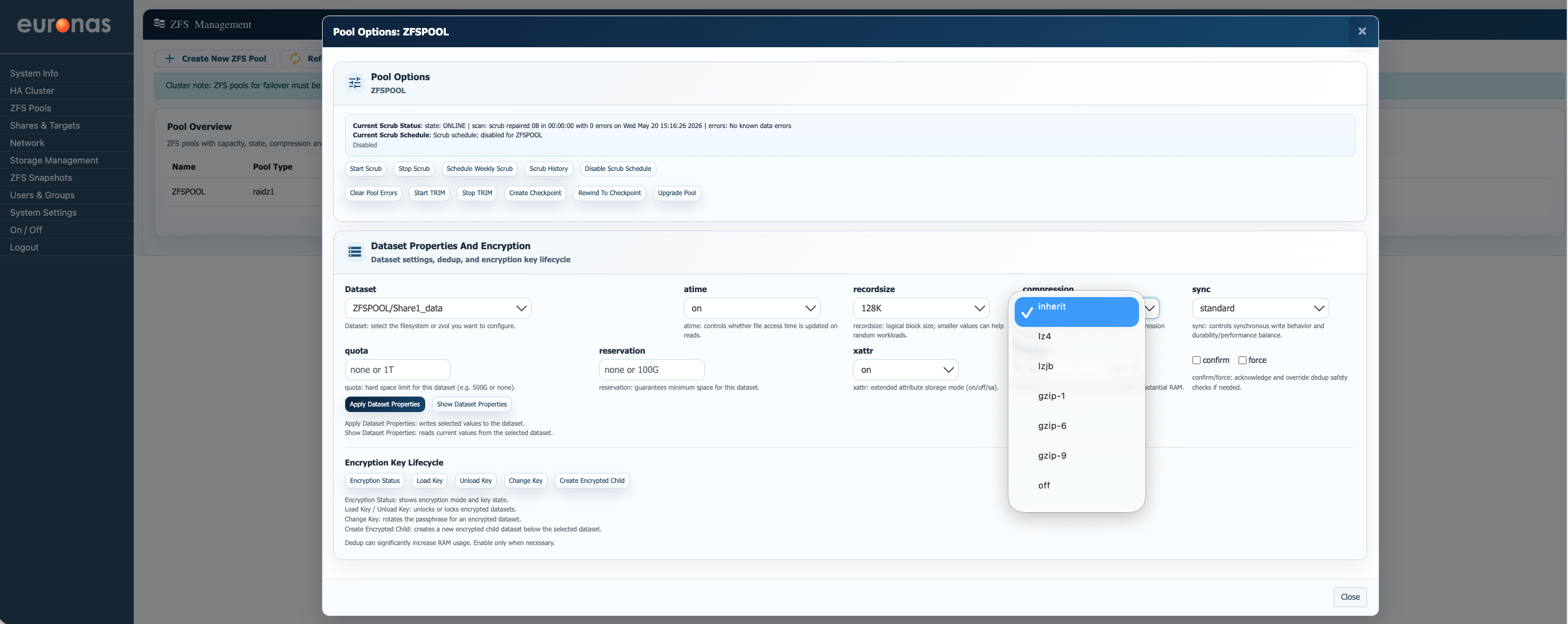
The Compression setting controls how ZFS compresses data written to the selected dataset. Compression can significantly reduce storage consumption and, in many cases, improve performance by reducing the amount of physical data written to disk.
The available options are:
- inherit – Uses the compression setting inherited from the parent pool or dataset. This is the default behaviour unless specifically overridden.
- lz4 – The recommended general-purpose compression algorithm for most workloads. It provides very fast compression and decompression with minimal CPU overhead and is suitable for virtual machines, file shares, and general application data.
- lzjb – An older lightweight compression method with lower compression efficiency than
lz4. Generally retained for legacy compatibility. - gzip-1 / gzip-6 / gzip-9 – Higher compression algorithms offering increasing levels of compression at the cost of additional CPU usage.
gzip-1provides lighter compression with lower CPU overhead.gzip-6offers a balance between compression ratio and CPU usage.gzip-9provides maximum compression but can significantly impact performance on busy systems.
- off – Disables compression entirely for the selected dataset. This may be useful for already compressed data such as media files, encrypted backups, or workloads where CPU overhead must be minimised.
For most deployments, lz4 is the recommended option due to its strong balance of performance and storage efficiency.