
Migrate Hyper-V virtual machines to eEVOS through a guided workflow.
Connect a Hyper-V host, discover Windows and Linux workloads, choose destination storage, map networks and convert virtual disks directly from the eEVOS interface.
From source discovery to a destination ready for validation.
The browser guides the decisions. The transfer and conversion run through privileged eEVOS services rather than through the browser.
Connect
Save a Hyper-V host connection using WinRM and the required Windows administration access.
Select VMs
Choose workloads, target names, guest profiles and an available file- or Ceph-backed drive.
Map networks
Map the source switch and access VLAN combinations to eEVOS networks or virtual switches.
Review and import
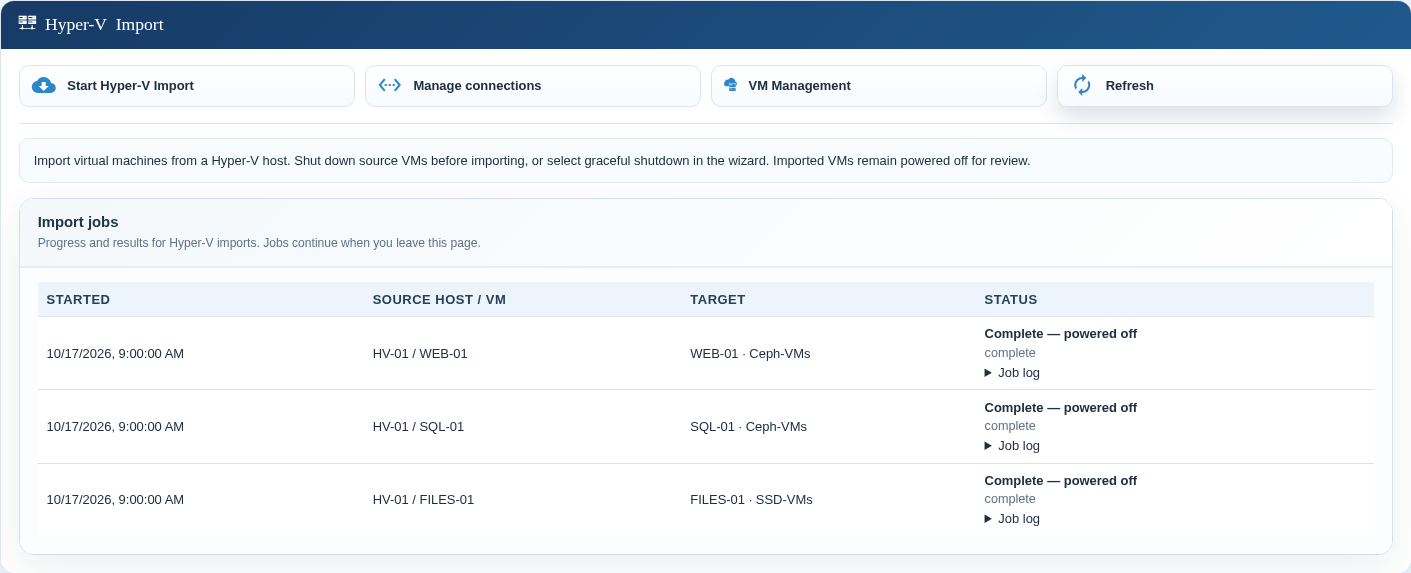
Confirm placement and mappings, then follow the persistent job state and per-VM logs.
Select several workloads and place each one appropriately.
Hyper-V inventory provides the source state, CPU, startup memory, firmware, disks, adapters and available guest metadata. Administrators choose the destination drive and can adjust the detected guest profile before conversion.
- Generation 1 sources use BIOS; Generation 2 sources use UEFI.
- Existing destination names are rejected—imports never overwrite a VM.
- Available capacity is shown beside every destination drive.
- Running sources can receive an explicitly approved graceful shutdown.
Operating-system detection and driver preparation are part of the import.
When guest metadata is recognised, eEVOS selects the corresponding profile. For supported guests, the import process automatically installs the required paravirtualised drivers so that the destination can use its virtual storage and network devices efficiently.
Administrators should still validate boot behaviour, disks, network interfaces and application services before cutover.
Guest operating system
Recognised Hyper-V metadata is used to select an appropriate eEVOS guest profile.
Paravirtualised drivers
Required drivers are installed automatically for supported guests, as with the vSphere import workflow.
Map switches and VLANs instead of guessing after the import.
The wizard groups adapters by source switch and access VLAN and shows which VMs use each combination. Map them to an eEVOS network or virtual switch and, where applicable, an existing network profile.
- Multiple NICs and mapped MAC addresses are retained.
- Adapters can be deliberately omitted for an isolated first start.
- Destination VLAN policy remains explicit and reviewable.
Convert directly to the selected eEVOS storage model.
There is no separate full VHDX staging copy on the destination. Disk data is read through encrypted, read-only SMB and converted to the selected target.
qcow2 destination
Supported VHD and VHDX content is converted into VM disk files on the selected mounted drive.
Native RBD destination
The conversion service writes directly to native Ceph RBD images for distributed eEVOS deployments.
Current state flattened
Differencing chains are flattened on the Hyper-V host. The current disk state is imported; checkpoint history is not recreated.
Review the complete plan before conversion starts.
Every source-to-target name, storage destination and network mapping is visible before the import. A running source is shut down gracefully only with explicit administrator approval. No forced power-off is used.
The source VM, its configuration and original disks remain available. The imported VM is registered but remains powered off until the administrator completes validation.
Make the identity change explicit for protected workloads.
An ordinary Generation 2 VM with virtual TPM can be imported with a new persistent TPM 2.0 on the destination. Protected source TPM state is not transferred.
Management and transfer protection
WinRM provides discovery and administration. Disk data is read through encrypted, read-only SMB. Saved passwords are encrypted at rest, and the workflow does not require a guest migration agent.
TPM-aware workflow
The administrator must acknowledge that the destination receives a new TPM identity. Shielded VMs remain unsupported.
What the workflow does—and what remains a migration decision.
| Area | Current workflow | Administrator responsibility |
|---|---|---|
| Availability during import | Offline conversion; optional graceful shutdown of a running source. | Define the maintenance window, application shutdown and cutover. |
| Source scope | Connects to an individual Hyper-V host. | Use the host that owns and can access the VM and its disks; no automatic SCVMM or cluster-owner discovery. |
| Virtual hardware | Carries across CPU, startup memory, supported disks, firmware mode and mapped adapters. | Review dynamic memory policy, unsupported devices, Secure Boot and application requirements. |
| Security | Creates a new destination TPM when explicitly acknowledged. | Prepare encryption recovery; shielded VMs and protected TPM-state transfer are not supported. |
| Completion | Creates a powered-off destination and retains the source. | Validate boot, drivers, networks, data and applications, then create a new destination backup. |
Plan a controlled Hyper-V migration.
Review the source hosts, VM generations, storage placement, network mappings, recovery requirements and cutover sequence with euroNAS.